Matrix Raining Code Effect Using JavaScript
The falling green code from The Matrix looks complicated, but it takes one <canvas> element and about thirty lines of JavaScript. This tutorial builds it from an empty file, explains why each line is there, and then shows how to change the colour, speed and characters.
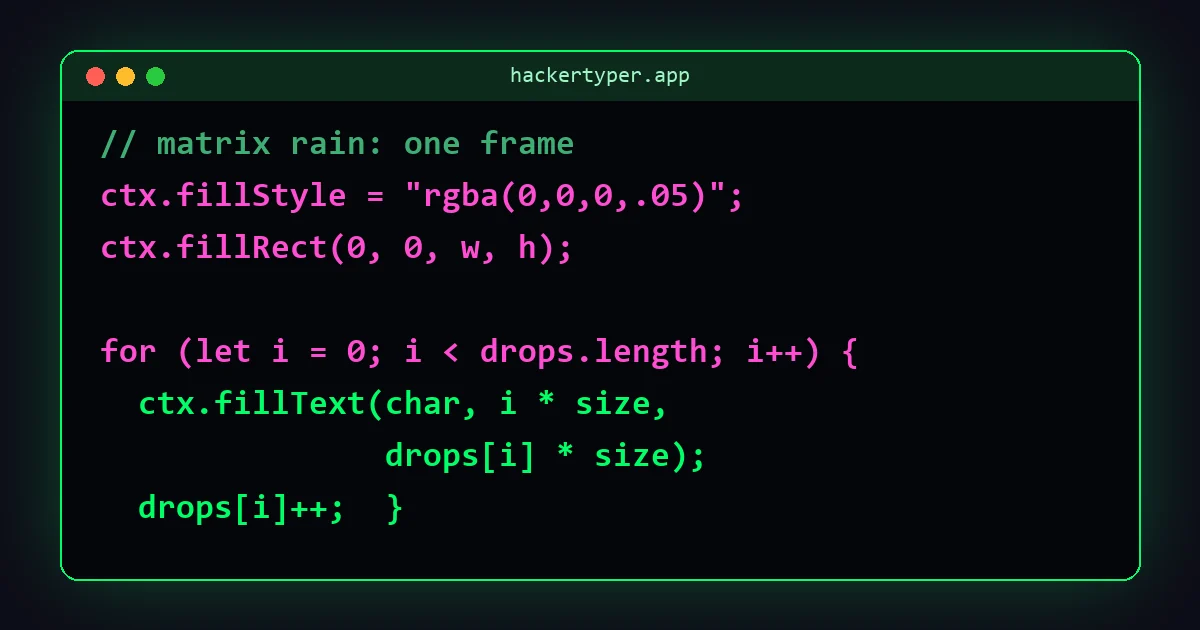
How the effect works
Before any code, here is the whole idea in four sentences:
- Split the screen into narrow vertical columns, each one character wide.
- Each column has one drop: a number that says which row it has reached.
- Many times a second, draw a random character at every drop's position, then move each drop down one row.
- Instead of erasing the old characters, paint a nearly transparent black layer over everything, so older characters get a little darker each frame.
Step 4 is the trick. Nothing tracks the trail behind each drop. The trail is simply what is left of earlier frames, fading away.
Step 1: the HTML
Create a file called matrix.html. The page needs a single canvas, which is an element JavaScript can draw on.
<!DOCTYPE html>
<html lang="en">
<head>
  <meta charset="UTF-8">
  <meta name="viewport" content="width=device-width, initial-scale=1">
  <title>Matrix Rain</title>
</head>
<body>
  <canvas id="matrix"></canvas>
</body>
</html>
The charset="UTF-8" line matters here. Without it, the Japanese characters used later may show up as question marks.
Step 2: the CSS
Put this inside <head>. It removes the page margin, makes the background black and stops scrollbars appearing.
<style>
  html, body { margin: 0; height: 100%; background: #000; overflow: hidden; }
  canvas { display: block; }
</style>
display: block removes the small gap browsers leave under inline elements, which would otherwise cause a scrollbar.
Step 3: get the canvas ready
Add a <script> tag just before </body> and start with the setup.
const canvas = document.getElementById("matrix");
const ctx = canvas.getContext("2d");

const fontSize = 16;
const characters = "アイウエオカキクケコサシスセソタチツテト0123456789";
let drops = [];ctxis the drawing context. Every drawing command goes through it.fontSizesets both the size of each character and the width of each column.charactersis the pool to pick from. The film used Japanese katakana and numbers.dropswill hold one number per column: the row that column's drop has reached.
Step 4: size the canvas and create the columns
function resize() {
  canvas.width = window.innerWidth;
  canvas.height = window.innerHeight;

  const columns = Math.floor(canvas.width / fontSize);
  drops = Array.from({ length: columns }, () =>
    Math.floor(Math.random() * canvas.height / fontSize)
  );
}
A canvas has its own pixel size, separate from its CSS size, so it has to be set in JavaScript. The number of columns is the canvas width divided by the font size.
Each drop starts at a random row. If they all started at zero, the first few seconds would show a flat line marching down the screen.
Step 5: draw one frame
function draw() {
  // 1. Fade everything already on the canvas
  ctx.fillStyle = "rgba(0, 0, 0, 0.05)";
  ctx.fillRect(0, 0, canvas.width, canvas.height);

  // 2. Set the text style
  ctx.fillStyle = "#00ff66";
  ctx.font = fontSize + "px monospace";

  // 3. One new character per column
  for (let i = 0; i < drops.length; i++) {
    const char = characters[Math.floor(Math.random() * characters.length)];
    ctx.fillText(char, i * fontSize, drops[i] * fontSize);

    // 4. Past the bottom? Sometimes send the drop back to the top
    if (drops[i] * fontSize > canvas.height && Math.random() > 0.975) {
      drops[i] = 0;
    }
    drops[i]++;
  }
}
Going through it:
- The fade. A black rectangle at 5% opacity covers the whole canvas. A character drawn in the last frame is now 95% as bright, the one before that about 90%, and so on. Raise the 0.05 for shorter trails; lower it for longer ones.
- The position. Column
iis drawn ati * fontSizepixels across anddrops[i] * fontSizepixels down. - The reset. Once a drop has left the bottom of the screen, it has a 2.5% chance each frame of jumping back to the top. That random wait is what makes the columns fall out of step with each other. Without it, they would all restart together.
Step 6: run it
resize();
window.addEventListener("resize", resize);
setInterval(draw, 50);
setInterval(draw, 50) calls draw every 50 milliseconds, which is 20 frames a second. The resize listener rebuilds the columns when the window changes size, so the rain always fills the screen.
The complete code
Save this as one file and open it in a browser.
<!DOCTYPE html>
<html lang="en">
<head>
  <meta charset="UTF-8">
  <meta name="viewport" content="width=device-width, initial-scale=1">
  <title>Matrix Rain</title>
  <style>
    html, body { margin: 0; height: 100%; background: #000; overflow: hidden; }
    canvas { display: block; }
  </style>
</head>
<body>
  <canvas id="matrix"></canvas>
  <script>
    const canvas = document.getElementById("matrix");
    const ctx = canvas.getContext("2d");

    const fontSize = 16;
    const characters = "アイウエオカキクケコサシスセソタチツテト0123456789";
    let drops = [];

    function resize() {
      canvas.width = window.innerWidth;
      canvas.height = window.innerHeight;
      const columns = Math.floor(canvas.width / fontSize);
      drops = Array.from({ length: columns }, () =>
        Math.floor(Math.random() * canvas.height / fontSize)
      );
    }

    function draw() {
      ctx.fillStyle = "rgba(0, 0, 0, 0.05)";
      ctx.fillRect(0, 0, canvas.width, canvas.height);

      ctx.fillStyle = "#00ff66";
      ctx.font = fontSize + "px monospace";

      for (let i = 0; i < drops.length; i++) {
        const char = characters[Math.floor(Math.random() * characters.length)];
        ctx.fillText(char, i * fontSize, drops[i] * fontSize);

        if (drops[i] * fontSize > canvas.height && Math.random() > 0.975) {
          drops[i] = 0;
        }
        drops[i]++;
      }
    }

    resize();
    window.addEventListener("resize", resize);
    setInterval(draw, 50);
  </script>
</body>
</html>
Customising the effect
| To change | Edit | Try |
|---|---|---|
| Colour | ctx.fillStyle = "#00ff66" | #ffb000 amber, #33ccff blue, #ff3344 red |
| Speed | setInterval(draw, 50) | 30 for faster, 90 for slower |
| Character size | fontSize = 16 | 10 for a dense curtain, 24 for big letters |
| Trail length | the 0.05 in rgba(0, 0, 0, 0.05) | 0.03 for long trails, 0.15 for short |
| Characters | the characters string | "01" for binary, "0123456789ABCDEF" for hex |
| How often columns restart | the 0.975 | 0.95 for heavier rain, 0.99 for sparse |
Add a bright leading character
In the film the newest character in each column is almost white. To get that, draw the new character in a light colour, and on the next frame redraw it in green so only the head stays bright. Add const lastChar = []; next to drops, then replace the fillText line with:
if (lastChar[i]) {
  ctx.fillStyle = "#00ff66";
  ctx.fillText(lastChar[i], i * fontSize, (drops[i] - 1) * fontSize);
}
ctx.fillStyle = "#d8ffe6";
ctx.fillText(char, i * fontSize, drops[i] * fontSize);
lastChar[i] = char;
Write your own message
Set characters to a word or name, for example "HACKERTYPER". The letters appear in random order, so it reads as noise at first and then becomes recognisable.
Common problems
- The characters are boxes or question marks. The file is missing
<meta charset="UTF-8">, or it was not saved as UTF-8. Using only numbers and Latin letters avoids the issue. - The rain is blurry on a laptop or phone. High-density screens have more physical pixels than CSS pixels. Multiply the canvas width and height by
window.devicePixelRatio, set the canvas CSS size to the window size, and scale the font size by the same ratio. - It stretches when the window is resized. The resize listener is missing, so the canvas keeps its old pixel size.
- The trails never fully disappear. With a very low fade value, rounding leaves a faint grey residue. Use 0.05 or higher.
- It uses a lot of battery. The loop runs even when nobody is looking. Pause it when the tab is hidden by checking
document.hiddenat the top ofdraw.
Should you use requestAnimationFrame?
Most animation tutorials recommend requestAnimationFrame, which runs in step with the screen, usually 60 times a second. Matrix rain looks wrong that fast. The characters should tick down in visible steps. You can still use it by skipping frames:
let last = 0;
function loop(time) {
  if (time - last > 50) {
    draw();
    last = time;
  }
  requestAnimationFrame(loop);
}
requestAnimationFrame(loop);
This gives the same 20 frames a second and pauses automatically when the tab is in the background. For a small project, setInterval is fine.
Where to go next
- Compare your result with our Matrix Rain tool and try matching its colour and character options.
- Read Matrix digital rain explained for where the symbols came from and why the code is green.
- Build the other classic: a hacker typer in JavaScript.
- Combine the two, with code typing over the rain, as our Hacker Typer Screen does.
FAQ
Can I make the Matrix effect with only HTML and CSS?
You can animate a few falling columns with CSS, but the random characters and fading trails need JavaScript. Canvas is the simplest and fastest way.
Why use canvas instead of HTML elements?
A full screen of rain is thousands of characters changing every frame. Drawing them on one canvas is far faster than creating and updating thousands of elements.
How do I make the Matrix rain a different colour?
Change the colour in the line ctx.fillStyle = "#00ff66" to any other colour code.
Can I use this code on my own website?
Yes. The tutorial code on this page is free to use, change and publish.
How do I put the effect behind my page content?
Give the canvas position: fixed, top and left of 0, and a z-index of -1, so the rest of the page sits on top of it.