How to Create a Strong Password You Can Actually Use
Most advice about passwords is out of date. Rules like "add a capital letter and a symbol" produce passwords that are hard for people to remember and easy for computers to guess. Here is what actually makes a password strong, and a practical way to use strong passwords everywhere.
How passwords get broken
Understanding the threat makes the advice obvious. Passwords are rarely guessed by someone typing at a login screen. The usual routes are:
- Reused passwords from breaches. A site you use is breached and its password list leaks. Attackers then try those email and password pairs on other sites automatically. This is called credential stuffing, and it works only because people reuse passwords.
- Offline guessing. When attackers steal a database of scrambled passwords, they can test billions of guesses per second on their own hardware, starting with leaked passwords, dictionary words and common patterns.
- Phishing. A fake login page asks for your password and you type it in. A strong password does not help here, which is why two-step verification matters.
So a good password has to do two jobs: be unique, so a breach elsewhere does not matter, and be unpredictable, so guessing takes too long.
The three properties of a strong password
- Long. Length is the biggest factor. Every extra character multiplies the number of possibilities.
- Random. Chosen by a machine or by dice, not by you. People are predictable, and attackers know the patterns.
- Unique. Used for one account only.
Notice what is not on the list: special characters. Current guidance from the US National Institute of Standards and Technology recommends favouring length over composition rules and dropping forced periodic password changes, because both pushed people towards predictable choices.
How long is long enough?
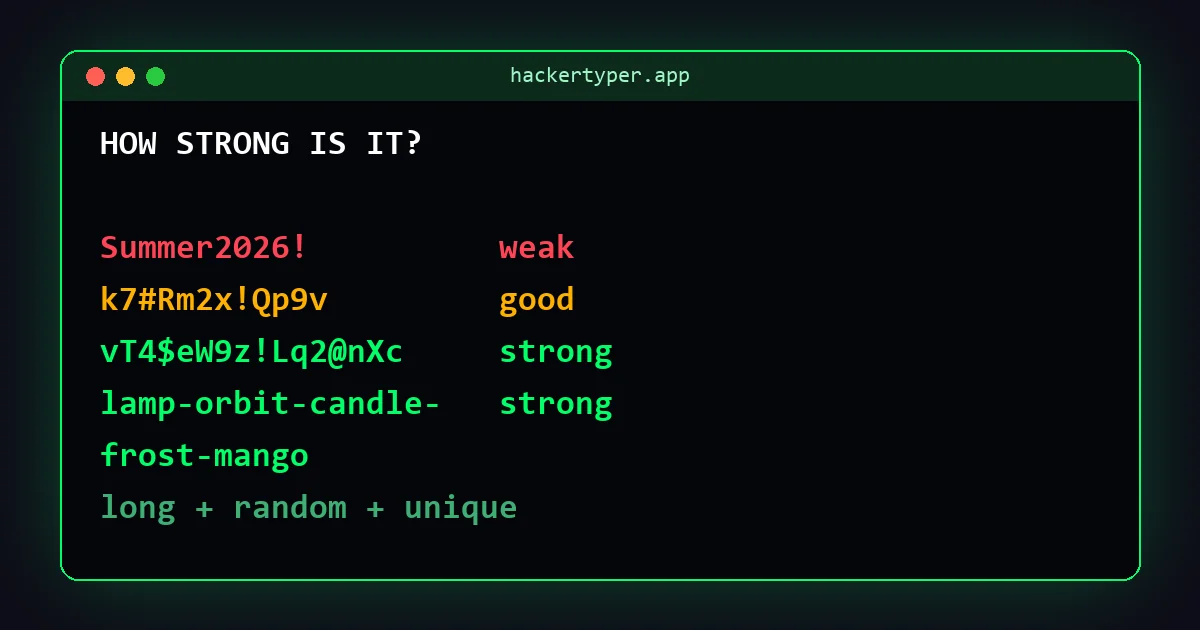
| Type of password | Example shape | Strength |
|---|---|---|
| 8 characters, mixed | Tr0ub4d! | Weak. Within reach of offline guessing |
| Word plus number and symbol | Summer2026! | Very weak. A standard pattern |
| 12 random characters | k7#Rm2x!Qp9v | Good |
| 16 random characters | vT4$eW9z!Lq2@nXc | Strong |
| 5 random words | lamp-orbit-candle-frost-mango | Strong, and memorable |
A sensible rule: 16 random characters or more for accounts stored in a password manager, and a passphrase of five or more random words for the few passwords you must type from memory. Do not use the examples in this table. Any password that has been published is no longer safe.
Passphrases: strong and memorable
A passphrase is several unrelated words in a row. It is long, which makes it strong, and it is made of words, which makes it possible to remember and type.
The words must be chosen at random. A phrase you invent, a song lyric or a quotation is not random, and attackers test those. The traditional method is to roll dice and look the results up in a published word list. With a list of several thousand words, each word adds roughly 12 to 13 bits of entropy, so five words give more than 60 bits and six give more than 75.
Use passphrases for the passwords you cannot store in a manager: your computer login, your phone's backup code, and the master password of the password manager itself.
Common mistakes
- Reusing a password. The most damaging habit. One breach unlocks every account that shares it.
- Personal information. Names, birthdays, pets, teams and addresses are the first things tried and are often public.
- Keyboard patterns.
qwerty,123456and1q2w3eare in every attacker's list. - Predictable substitutions. Changing a to @ or o to 0 adds almost nothing. Guessing tools apply these swaps automatically. This is leet speak, and it is for fun, not for security.
- One base password with a different ending per site. If
Blue42!facebookleaks, the pattern for your other accounts is obvious. - Year or season on the end. Forced password changes created this habit, and it is trivially guessable.
A system that works
1. Use a password manager
A password manager stores a different random password for every account and fills it in for you. You remember one strong master passphrase and nothing else. Reputable managers encrypt your data so that the provider cannot read it. The managers built into major browsers and phone operating systems are a reasonable choice too.
A manager also protects against phishing in a quiet way: it offers to fill a password only on the real website it was saved for, so a look-alike address gets nothing.
2. Generate, do not invent
For every new account, let the manager or a generator create the password. Set the length to 16 or more. You never need to see it again.
3. Turn on two-step verification
With two-step verification, a stolen password is not enough to sign in. An authenticator app or a hardware security key is stronger than codes sent by text message, though text messages are still much better than nothing. Protect your email account first, because it can reset all the others.
4. Use passkeys where offered
Passkeys replace passwords with a cryptographic key stored on your device and unlocked by your fingerprint, face or device PIN. There is nothing to remember, nothing to reuse, and they do not work on fake websites.
5. Fix the worst accounts first
You do not have to change everything today. Start with email, banking, your main shopping accounts and anything where you know the password is reused. Replace the rest as you next log in.
When to change a password
Change it when there is a reason: the service reports a breach, you see a login you do not recognise, you typed it into a site you now doubt, or you shared it with someone who no longer needs it. Otherwise a strong, unique password can stay as it is. Changing passwords on a fixed schedule is no longer advised.
FAQ
What is a good example of a strong password?
Sixteen or more random characters created by a generator, or a passphrase of five or more randomly chosen words. Never use an example you have seen published.
Is a longer password better than a complex one?
Yes. Length adds more strength than symbols do. A long random lower-case password beats a short one with every character type.
Are password managers safe?
Using a reputable password manager is far safer than reusing passwords or keeping them in notes. Protect it with a strong master passphrase and two-step verification.
How often should I change my passwords?
Only when there is a reason, such as a breach or suspicious activity. Scheduled changes tend to produce weaker passwords.
Does replacing letters with numbers make a password stronger?
Barely. Swaps such as a to 4 and e to 3 are well known and are tried automatically by guessing tools.