Touch Screen Not Working? How to Find and Fix Ghost Touch and Dead Zones
A touch screen can fail in a few different ways: part of it stops responding, it starts tapping things on its own, or it only notices one finger at a time. The good news is that many of these problems aren't hardware at all. Here's how to find out what's going on and what to try first.
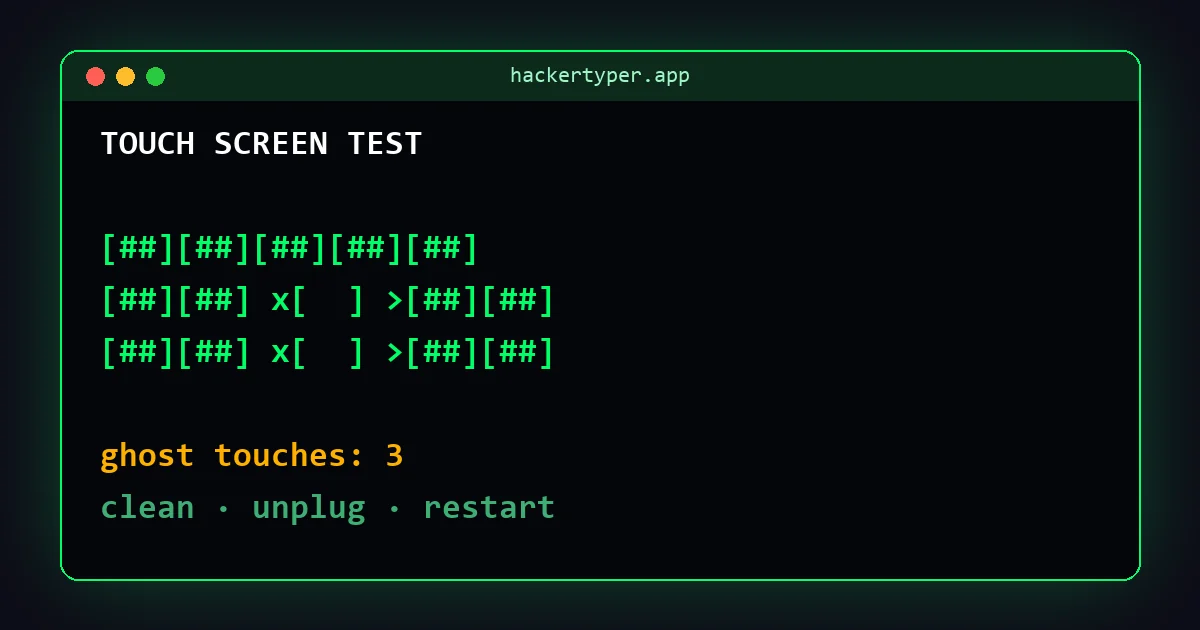
The three common touch problems
| Problem | What it looks like |
|---|---|
| Dead zone | One area, often a strip along an edge or near a crack, ignores your finger. |
| Ghost touch | Apps open by themselves, the keyboard types random letters, or the screen scrolls on its own. |
| Poor multi-touch | Pinch-to-zoom is jumpy, or games don't register two thumbs at once. |
Step 1: test it properly
- Open the touch screen test and press Fullscreen, so the edges are included.
- Choose Dead zone grid and slowly cover every square with one finger. Pay attention to the edges and corners.
- Switch to Ghost touch watch, press Start, and put the phone down without touching it for 30 seconds.
- Use Multi-touch drawing and add fingers one at a time. Note the "most at once" number.
Write down what you find. If the problem only appears in one test, that narrows down the cause a lot.
Step 2: rule out the easy causes
Most touch faults have a simple cause. Work through these in order, testing again after each one:
- Clean and dry the screen. Water droplets, sweat and greasy smudges are the most common cause of ghost touch. Use a soft, dry cloth.
- Remove the case and screen protector. A thick, lifting or bubbled protector can block touches near the edges, and a tight case can press on the screen.
- Unplug the charger. Cheap or damaged chargers can cause electrical noise that the touch layer reads as taps. If ghost touch stops when unplugged, replace the charger or cable.
- Restart the device. A frozen touch driver is fixed by a simple restart more often than you'd think.
- Update the software. Phone and tablet updates regularly include touch fixes.
- Check the settings. Some Android phones have "Touch sensitivity" or "Glove mode", which helps with thick protectors. On iPhone, check that Accessibility features such as Touch Accommodations aren't changing how taps work.
Step 3: is it an app or the hardware?
If a problem only happens in one app, it's the app. Update or reinstall it. If it also happens in the browser test, the cause is the device itself.
On Android, starting in safe mode (hold the power-off option on most phones) temporarily disables downloaded apps. If ghost touch disappears in safe mode, an app you installed is responsible.
Step 4: when it's the hardware
If the problem stays after all of the above, the digitizer (the touch layer under the glass) is probably damaged. Clues that point to hardware:
- A dead zone that lines up exactly with a crack or a drop mark.
- Ghost touch that started after the phone got wet or was dropped.
- The problem survives a factory reset. Back up first if you try one.
On most modern phones the glass, touch layer and display are one part, so the fix is a screen replacement. Get a quote from the manufacturer and a local repair shop, and check whether you're still under warranty.
Laptops and touch monitors
Windows touch screens can be recalibrated: search for Calibrate the screen for pen or touch input in the Start menu. Also try updating the touch driver ("HID-compliant touch screen" in Device Manager). Disabling it and enabling it again can bring a frozen touch screen back without a restart.
FAQ
Can ghost touch fix itself?
If moisture, dirt or a bad charger caused it, yes: once the cause is gone, it stops. Ghost touch caused by a damaged screen usually gets worse over time.
Why does only part of my screen work?
Usually because the touch layer is damaged in that area, often after a drop. Rule out a lifting screen protector first.
How much does a touch screen repair cost?
It varies a lot by model and country. On most current phones it means replacing the whole display assembly, so get a quote before deciding.
 Hacker Typer
 Hacker Typer 2.0
 Hacker Simulator
 Fake Hacker Screen
 Hacker Typer Prank
 Fake Update Screen
 Matrix Rain
 White Screen