Ghost Prank
A faint ghost floats across the screen, then it's gone. By the time they look again there's nothing there. It happens again a little later. Set it up on a laptop, a tablet or the TV and wait.
- Free
- No download or sign-up
- Runs in your browser
Tip: press Ghost now once to see what they'll see, then Fullscreen and walk away. Esc exits.
How to pull off the ghost prank
- Pick the background that matches the device: white document for a laptop that looks mid-work, desktop blue for a computer, black for a TV.
- Choose how often the ghost appears. 30 to 90 seconds is the sweet spot: long enough that they relax, short enough that it happens again.
- Press Fullscreen and leave the room, or keep an eye on them from across it.
- Reveal it when they start asking questions. The whoosh sound is optional; it works best in a quiet room.
Building a full Halloween set-up? See Halloween computer pranks, try the scary maze game, or play spooky sounds from the prank soundboard.
Ghost prank FAQ
Is the ghost prank scary?
It's mild. The ghost is faint and silent unless you switch the sound on, which makes it suitable for most ages. For a proper jump scare, use the scary maze game instead.
Does it work on a phone or TV?
Yes. It works in any modern browser, including phones, tablets and smart TVs with a browser. On a TV, the black background looks most natural.
Is this the same as the TikTok ghost prank filter?
No. The filter adds a ghost to a camera video. This page puts the ghost on a screen in front of your friend, with no camera involved.
More tools
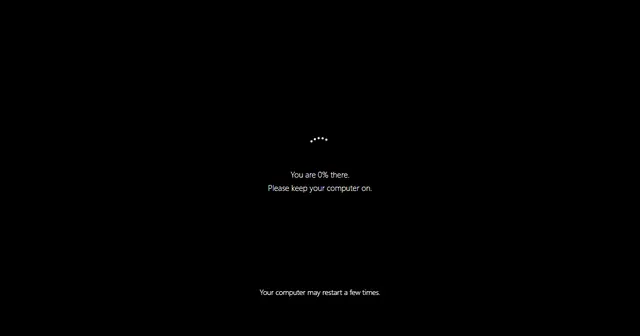 Fake Update ScreenWindows, Mac and more: an update that never finishes.
 Fake Blue ScreenA harmless crash screen with your own stop code.
 Broken ScreenA fake cracked display. Click to add more cracks.
 No Signal ScreenTV colour bars, static or blue with your own message.
 Radar ScreenA rotating radar sweep with flashing contacts.
 Fake Loading ScreenA loading bar that sticks at 99%, in three styles.
 Hair on Screen PrankA hair on the screen that will not wipe off.
 Scary Maze GameThe classic maze with a jumpscare on level 3.