Fake Text Message Generator
Write a funny text conversation and save it as a picture. Type a message, press Send for your side or Receive for theirs, and the phone fills up just like a real chat. Click a bubble in the phone to delete it.
- Free
- No download or sign-up
- Runs in your browser
Press Enter to send, Alt+Enter to receive. The contact photo stays on your device; nothing is uploaded.
Every image has a small "Prank chat made with hackertyper.app" line at the bottom, so it's clear it is a joke.
How to make a fake text conversation
- Choose a style and type the contact name. Add a photo if you like; it never leaves your device.
- Type the first message. Press Receive if the other person says it, or Send if you do.
- Keep going. Messages from the same person stack together, like a real chat.
- Made a mistake? Click the bubble in the phone to remove it.
- Press Download image to save the chat as a PNG.
Fun ways to use it
- Memes and jokes: the classic "texts from my mum" or a pet texting its owner.
- Stories and school projects: a chat between two historical figures, or characters from a book.
- Videos and comics: chat screens for a short film or a story post.
- Harmless pranks: show a friend a "conversation" with their favourite celebrity, then reveal it.
Please use it fairly
A made-up chat is fun as a joke and a problem as a weapon. Don't use these images to deceive, harass, bully or impersonate anyone, to fake evidence, or to damage someone's reputation. That can hurt people and can be illegal. Keep the watermark, and make sure everyone who sees the image knows it's a joke.
Ideas that land well are in fake text message pranks. For screen pranks rather than chats, see the prank websites page.
Fake text message FAQ
Is the fake text message generator free?
Yes. There is no sign-up, and the image is made in your browser. Nothing is uploaded to a server.
Can I change the contact photo?
Yes. Choose an image with Contact photo. It is only used on your device to draw the picture.
Why is there a line of text at the bottom of the image?
Every image is marked as a prank so it can't be mistaken for a real conversation. That keeps the joke harmless.
How do I delete one message?
Click or tap the bubble in the phone preview and it disappears. Erase all clears the whole chat.
More tools
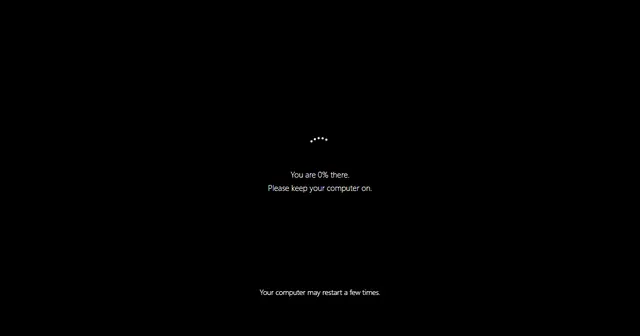 Fake Update ScreenWindows, Mac and more: an update that never finishes.
 Fake Blue ScreenA harmless crash screen with your own stop code.
 Broken ScreenA fake cracked display. Click to add more cracks.
 No Signal ScreenTV colour bars, static or blue with your own message.
 Radar ScreenA rotating radar sweep with flashing contacts.
 Fake Loading ScreenA loading bar that sticks at 99%, in three styles.
 Hair on Screen PrankA hair on the screen that will not wipe off.
 Ghost PrankA faint ghost drifts across the screen now and then.