Fake Loading Screen Prank: 8 Ideas
Nothing tests patience like a loading bar that slows down at 99%. A fake loading screen is the gentlest prank there is: nobody panics, everyone just waits. Here are eight ways to use one.

1. "Installing important update"
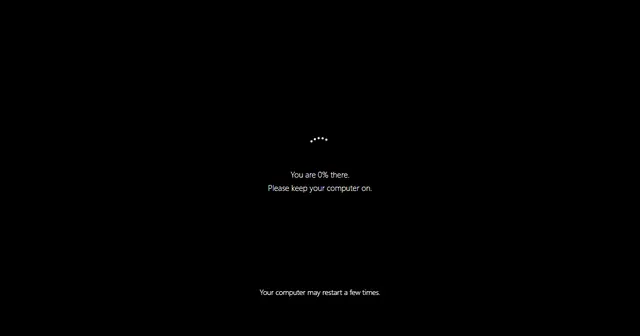
Progress bar style, message Installing important update, Stick at 99% ticked, full screen on a colleague's monitor while they're away. For the full experience, use the fake update screen.
2. The endless spinner
Spinner style with just Please wait. With no percentage there's no sign of progress at all, which somehow makes it worse.
3. "Loading weekend..."
Put it on the office TV on a Friday afternoon. Set the time to the number of minutes until home time.
4. Stream starting soon
Game style with the message Stream starting. The rotating tips fill the wait with jokes, and it looks more polished than a blank screen.
5. "Loading birthday surprise"
A harmless one for a party: run it on the TV before the cake comes out, and set the time to finish at the right moment.
6. The homework excuse
Classic bar, Saving document, stuck at 99%. Every student knows the feeling. (Don't use this one on a real deadline.)
7. The game that never starts
Game style, message Loading world, on a friend's computer just before you all sit down to play.
8. Video intro
Record five seconds of the game-style screen for a funny intro to a video or presentation.
Keep it friendly
A loading screen worries nobody, but on someone's work computer they might restart it and lose unsaved work. Stay nearby and reveal it quickly. More gentle ideas are in harmless computer pranks.
FAQ
How do I make a fake loading screen?
Open the fake loading screen tool, choose a style, type your message and press Fullscreen. No download is needed.
Can the loading screen get stuck at 99%?
Yes. Tick Stick at 99% and it slows down and never finishes.
Can I use it on a TV?
Yes. Open it on a laptop connected to the TV, or cast the browser tab, and press Fullscreen.
 Hacker Typer
 Hacker Typer 2.0
 Hacker Simulator
 Fake Hacker Screen
 Hacker Typer Prank
 Fake Update Screen
 Matrix Rain
 White Screen