How to Check Your Monitor's Refresh Rate
A 144 Hz monitor running at 60 Hz is more common than you'd think: the setting is often left at the default. Here is how to check what your screen is actually running at, and how to fix it.
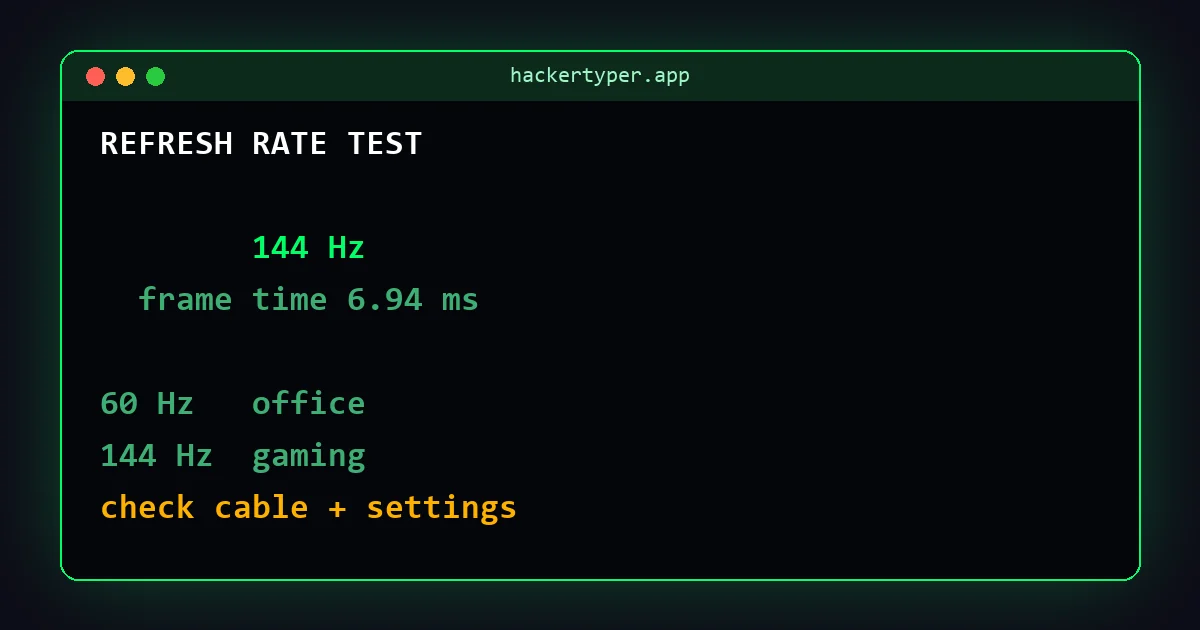
The quickest way: a browser test
Open the refresh rate test and wait a few seconds. It measures how often your browser draws a frame and shows the result in Hz. Keep the tab in front and, on a laptop, plug in the charger, because battery saving can lower the rate.
Windows 11
- Open Settings and go to System, then Display.
- Choose Advanced display.
- Under Choose a refresh rate, pick the highest value your monitor offers.
Windows 10
- Open Settings, then System and Display.
- Click Advanced display settings.
- Select your monitor and set the Refresh rate.
macOS
- Open System Settings and go to Displays.
- Use the Refresh rate menu. On MacBooks with ProMotion, "ProMotion" lets the screen adjust automatically up to 120 Hz.
If it shows less than you paid for
- Check the cable. Older or basic HDMI cables may not carry high refresh rates at high resolutions. DisplayPort is usually the reliable choice for 144 Hz and above.
- Check the port. On desktop PCs, plug the monitor into the graphics card, not the motherboard.
- Check the monitor's menu. Some monitors need an overclock or high-refresh mode switched on in their own settings.
- Update graphics drivers.
- Mind your other screens. With several monitors, each has its own setting.
What refresh rate do you need?
| Use | Comfortable |
|---|---|
| Office work, browsing, video | 60 Hz |
| Casual gaming, smooth scrolling | 100 to 144 Hz |
| Competitive gaming | 144 to 240 Hz and above |
A higher refresh rate only shows in games if the computer can produce that many frames per second.
FAQ
How do I know if my monitor is 144 Hz?
Check the model's specifications, then confirm with a refresh rate test and in your display settings that it is actually running at 144 Hz.
Why does my 144 Hz monitor show 60 Hz?
The refresh rate setting, cable, port or monitor menu is usually limiting it. Work through the checklist above.
Is a browser refresh rate test accurate?
Yes, when the tab is in front and the computer is not in a power-saving mode.
 Hacker Typer
 Hacker Typer 2.0
 Hacker Simulator
 Fake Hacker Screen
 Hacker Typer Prank
 Fake Update Screen
 Matrix Rain
 White Screen