Clicked a Phishing Link? What to Do Right Now
First, don't panic. Clicking a link on its own rarely does lasting harm. What matters is what happened next: did you type anything, download anything or pay anything? Find your situation below and work through the steps in order.
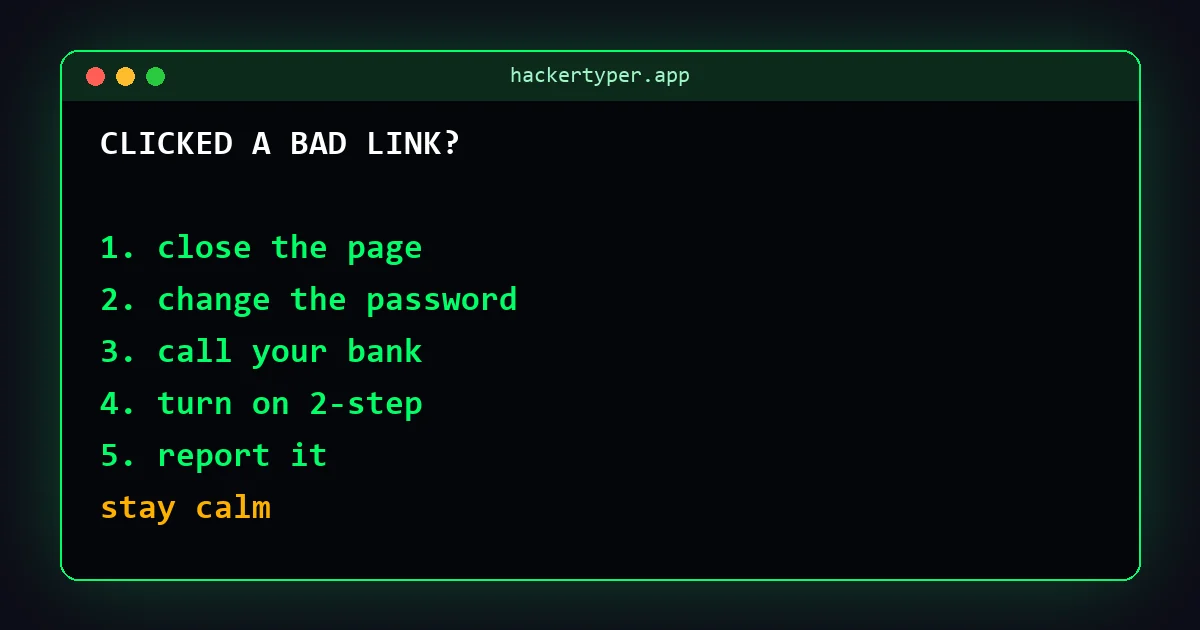
If you only opened the page
- Close the tab. Don't type anything into the page.
- Make sure your browser, phone and computer are up to date; updates fix the security holes that malicious pages try to use.
- Run your device's built-in security scan (Windows Security, or your phone's security check).
- Delete the message and report it (see below) so others are warned.
If you typed a password
- Change that password now, by going to the real website or app yourself, not through the link.
- If you use the same password anywhere else, change it there too. Make each one different; a password generator helps.
- Turn on two-step verification for the account.
- Use the account's "sign out of all devices" option and check its recent activity, recovery email and phone number.
- If it was your email account, change that first: it can be used to reset all your other passwords.
If you entered card or bank details
- Call your bank straight away on the number on your card or the official app. Ask them to block the card and watch for fraud.
- Freeze the card in your banking app if it lets you.
- Check your statements for small "test" payments in the coming weeks.
- Be wary of follow-up calls "from your bank" about this. Scammers often call victims again. Hang up and call the bank yourself.
If you shared a one-time code
Contact the company immediately through its official app or website: someone may be logging in to your account or approving a payment. Change your password and check for new devices or payees.
If you downloaded or installed something
- Disconnect from the internet (turn off Wi-Fi and mobile data).
- Uninstall anything you don't recognise, especially remote-access apps.
- Run a full security scan.
- From a different, clean device, change the passwords for your important accounts.
- If in doubt, get the device checked by a trusted repair shop or restore it to factory settings after backing up your files.
If you sent money
Call your bank or payment provider immediately and say it was a scam. The sooner they know, the better the chance of stopping or recovering the payment. Then report it to the police or your national fraud reporting service.
Report it
- United States: reportfraud.ftc.gov and ic3.gov.
- United Kingdom: Action Fraud; forward texts to 7726 and emails to [email protected].
- India: cybercrime.gov.in or call 1930.
- Australia: Scamwatch. Canada: the Canadian Anti-Fraud Centre.
Next time, test yourself with the Spot the Scam quiz, and see the scams going around right now.
FAQ
Can my phone get hacked just by clicking a link?
It's rare on an up-to-date phone. Most phishing needs you to do something on the page: type a password, enter card details or install an app. Keeping your phone updated closes the rare exceptions.
Should I reply to the scam message?
No. Replying, even "STOP", tells the sender your number is active. Report and delete it.
How do I know if my account was already accessed?
Check the account's security or recent activity page for unfamiliar devices, locations or changes to your recovery email or phone number.
 Hacker Typer
 Hacker Typer 2.0
 Hacker Simulator
 Fake Hacker Screen
 Hacker Typer Prank
 Fake Update Screen
 Matrix Rain
 White Screen